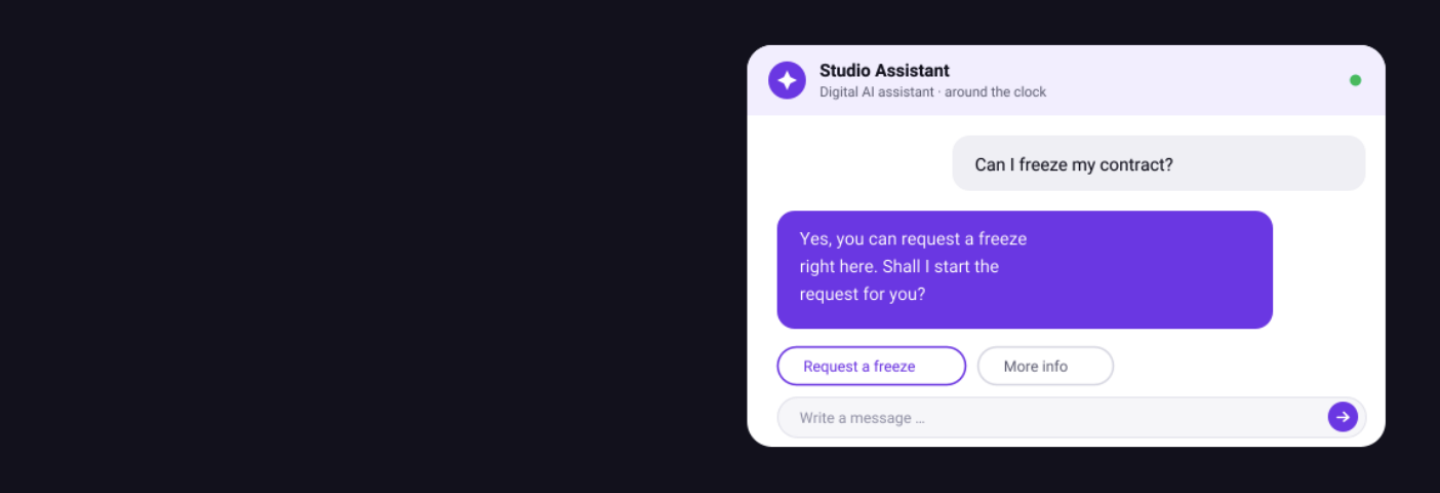

About MagicAI Chat
MagicAI Chat is the digital AI assistant for your studio. It answers questions from prospects and members, books trials, shows class schedules, and lets members view their contract details, request a freeze or update their data. Around the clock and in many languages.
Because MagicAI Chat runs natively inside Magicline, it works with your contracts, your prices and your member data. It answers only from the sources you approve: your Help Center, your website URLs or uploaded documents. When a conversation becomes complex or emotional, it hands over to your team. MagicAI Chat does not replace your team. It takes the repeatable digital work off them.
Benefits for you
Available when your studio is not. 35% of chat conversations happen outside opening hours.
Your team is freed up. 97 out of 100 chat conversations run without your team needing to step in.
Most questions answered on the spot. MagicAI Chat answers 8 out of 10 member questions. The rate depends on your knowledge base.
You control what it says and does. MagicAI Chat answers only from the sources you approve and performs only the functions you switch on.
Most relevant functionalities
Trial booking. Based on your studio's available slots.
Classes and schedules. Shows the class schedule and books members and prospects onto classes.
Member self-service. Update master data, address and contact details, view contract data and request a freeze. You decide what is possible.
Cancellation requests. After sufficient authentication, if you switch the function on.
Handover to your team. Routes to Zendesk, HubSpot or an email address, with the full conversation context.
Your brand, your rules. Choose colours, avatars and the chatbot name. Guidelines let you set how the chatbot behaves.
Set up interface
Unfortunately, the integration of MagicAI Chat isn't available for gyms located in your country () and therefore cannot be activated in the Magicline.
This integration is a Magicline add-on that can be booked independently, regardless of the number of partner integrations included in your pricing package.
Add MagicAI Chat to your Magicline subscription: Extend your existing subscription to include MagicAI Chat through your Account Manager or directly in the check-out section of Magicline.
Connect your Knowledge Base: Point MagicAI Chat at your Help Center, website URLs, or uploaded documents.
Configure your brand and service set up: Brand the widget with your colors, logo, and persona name. Define handover rules. Enable use cases.
Go live in under a day: No complex IT project. If your content is ready, you can go live in under a day. Copy the embed snippet, and switch it on.