
About MagicAI Engage
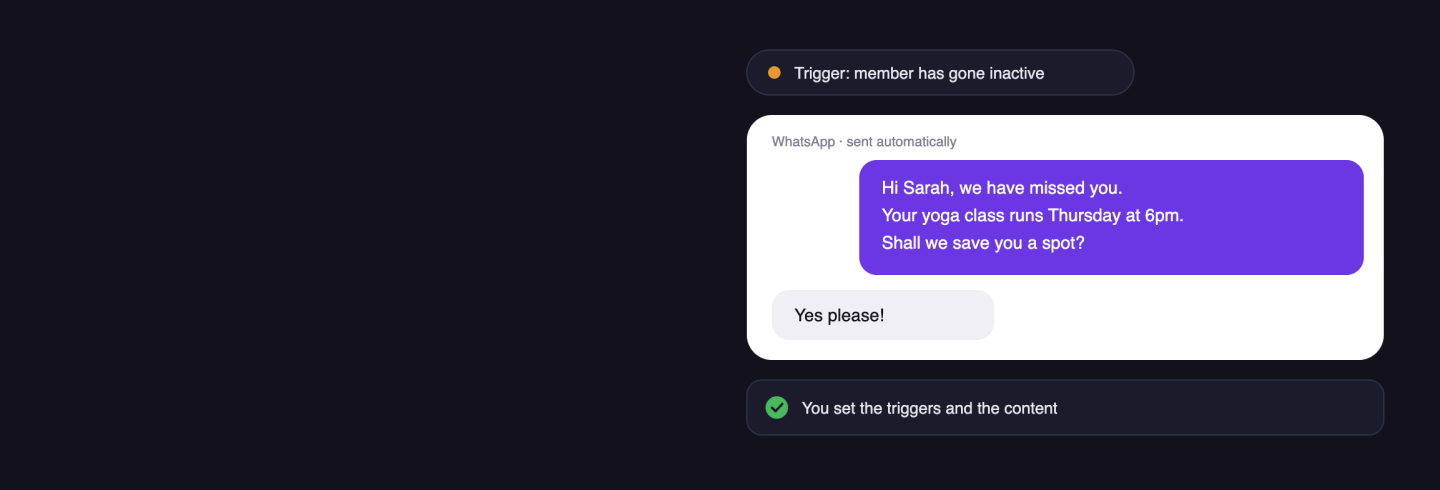
MagicAI Engage is the proactive side of MagicAI. It picks up changes in the data your Magicline already holds and starts the right outreach at the right time: inactive members, falling visit numbers, contracts coming to an end, or new leads.
MagicAI Chat answers when a member gets in touch. MagicAI Engage gets in touch when the data shows a moment matters. You decide which triggers are active, what gets sent and where your team takes over.
Benefits for you
Members come back. 61 out of 100 at-risk members were won back within 14 days.
More active members. 68 more members per 1,000 are active again.
Outreach on the channel that lands. WhatsApp and the MySports app for two-way conversation, email and SMS as push.
No extra manual work. Once it is set up, the outreach runs by itself. Your team does not have to track every member one by one.
Most relevant functionalities
Smart triggers. Engage spots inactive members, falling visit numbers, contracts coming to an end and new leads.
Automated journeys. Set it up once and keep using it. Accompanies members across the critical moments of the member journey.
Channels. WhatsApp and the MySports app carry two-way conversation. Email and SMS are push channels.
Paired with MagicAI Chat. When a member replies on a two-way channel, MagicAI Chat handles the answer.
Measurement. Shows which campaigns generate sign-ups, retention or upgrades.
You stay in control. You set the triggers, the content and the limits.
Set up interface
Unfortunately, the integration of MagicAI Engage isn't available for gyms located in your country () and therefore cannot be activated in the Magicline.
This integration is a Magicline add-on that can be booked independently, regardless of the number of partner integrations included in your pricing package.
Activate the licence. MagicAI Engage is a separately licensed extension for Magicline. Extend your existing subscription to include MagicAI Engage through your Account Manager or directly in the check-out section of Magicline.
Connect your channels. Decide which channels Engage may use to reach your members.
Set up templates. Use the default templates or adjust them according to your needs.
Switch on triggers. Choose the moments Engage should act on.